
Skeleton loaders
Skeleton loaders provide a simple way to display loading placeholders in your application.
TIP
This feature was introduced in v3.4.0 (Blackguard)
Usage
The v-skeleton-loader component provides a user with a visual indicator that content is coming / loading. This is better received than traditional full-screen loaders.
API
| Component | Description |
|---|---|
| v-skeleton-loader | Primary Component |
Anatomy
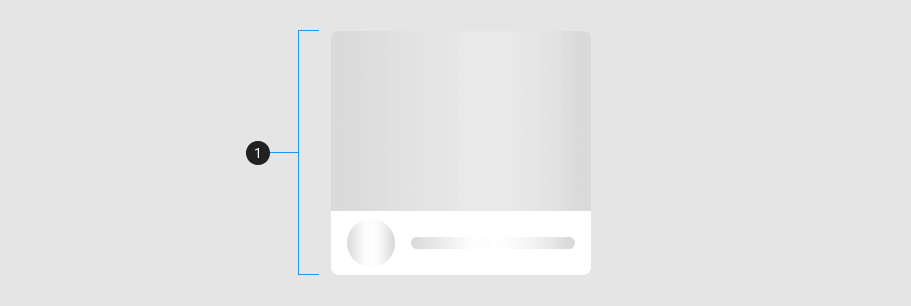
The v-skeleton-loader has a default slot that is rendered when the component is not in a loading state.
| Element / Area | Description |
|---|---|
| 1. Container | The container is the root element of the component. |
Guide
The v-skeleton-loader component can be used in a variety of contexts, including cards, lists, and tables. It can be used to create a placeholder loading state for when content is being fetched from a server or loaded asynchronously.
The following code snippet is an example of a basic v-skeleton-loader component. When no type property is provided, the component will default to an image type.
<v-skeleton-loader></v-skeleton-loader>Props
The v-skeleton-loader component has a small API mainly used to configure the root and item height.
Type
The type property is used to define the type of skeleton loader. Types can be combined to create more complex skeletons. For example, the card type is a combination of the image and heading types.
The following built-in types are available:
| Type | Composition |
|---|---|
| actions | button@2 |
| article | heading, paragraph |
| avatar | avatar |
| button | button |
| card | image, heading |
| card-avatar | image, list-item-avatar |
| chip | chip |
| date-picker | list-item, heading, divider, date-picker-options, date-picker-days, actions |
| date-picker-options | text, avatar@2 |
| date-picker-days | avatar@28 |
| divider | divider |
| heading | heading |
| image | image |
| list-item | text |
| list-item-avatar | avatar, text |
| list-item-two-line | sentences |
| list-item-avatar-two-line | avatar, sentences |
| list-item-three-line | paragraph |
| list-item-avatar-three-line | avatar, paragraph |
| ossein | ossein |
| paragraph | text@3 |
| sentences | text@2 |
| subtitle | text |
| table | table-heading, table-thead, table-tbody, table-tfoot |
| table-heading | heading, text |
| table-thead | heading@6 |
| table-tbody | table-row-divider@6 |
| table-row-divider | table-row, divider |
| table-row | text@6 |
| table-tfoot | text@2, avatar@2 |
| text | text |
Loading
A skeleton loader is considered to be in a loading state if one of the following conditions are met:
- The default slot is not used
- The loading property is set to true
If either condition is met, the skeleton loader returns the type structure in place of the default slot and applies dimensions values; e.g. height, width, min-height, etc. If the condition is not met, the default slot is returned.
Elevation
The elevation property makes it easy to match the elevation of the skeleton loader to the content it is replacing.
Boilerplate
The v-skeleton-loader can be used as boilerplate designs when creating mockups. Mix and match various pre-defined options or create your own unique implementations. In this example, we use a custom data property to apply the same props to multiple v-skeleton-loader's at once.
Examples
The following are a collection of examples that demonstrate more advanced and real world use of the v-skeleton-loader component.
Ice-cream suggestions
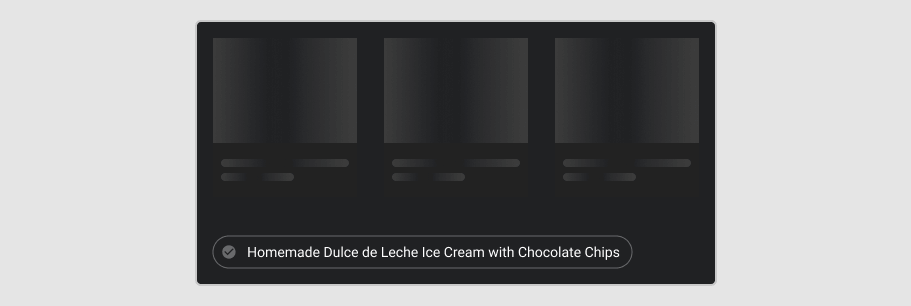
The following example demonstrates how the v-skeleton-loader component can be used to create a placeholder loading state for when content is being fetched from a server or loaded asynchronously.
SASS Variables
Make fine tuned changes by modifying the v-skeleton-loader SASS variables. This is useful when you want to change the default button height or padding.
@use 'vuetify/settings' with (
  $skeleton-loader-gutter: 24px,
  $skeleton-loader-button-width: 80px,
);
For a list of all available SASS variables, navigate to the v-skeleton-loader API page.
Accessibility
By default, the v-skeleton-loader component is assigned a WAI-ARIA role of alert. We augment this role with three aria properties. An aria-busy value of true denotes that a widget is missing required owned elements. An aria-live value of polite sets the screen reader's priority of live regions. And finally, aria-label, which is used to provide a human readable description of the element.
Configuring the aria-label
Configure the default text used in the v-skeleton-loader component in the locale options. The following example demonstrates how to update the loading-text property:
import { createVuetify } from 'vuetify'

export default createVuetify({
  locale: {
    messages: {
      loading: 'Loading content...',
    },
  },
})
Navigate to the Internationalization (i18n) page for more information on how to configure the locale options.